The university is upgrading its Learning Management System to Blackboard Learn Ultra, a modern platform designed to make online learning simpler and more accessible.
The transition began in Spring 2025, with GovState increasing the number of Ultra courses each semester. The goal is to complete the full transition by Fall 2026, meaning students may experience both the “Original” Blackboard view and the new “Ultra” view within the same semester.
So what’s different? Blackboard Learn Ultra offers a streamlined, mobile friendly interface that has course information, announcements, and deadlines in one centralized activity stream. The platform will be easy to navigate, allowing students to access courses, submit assignments, and communicate with instructors and classmates from any device whether on campus or on the go.
“It brings together all the information you need in one place,” according to information from the university. Students enrolled in Ultra courses will notice changes to the navigation screen, how content is displayed, and how grades are accessed.
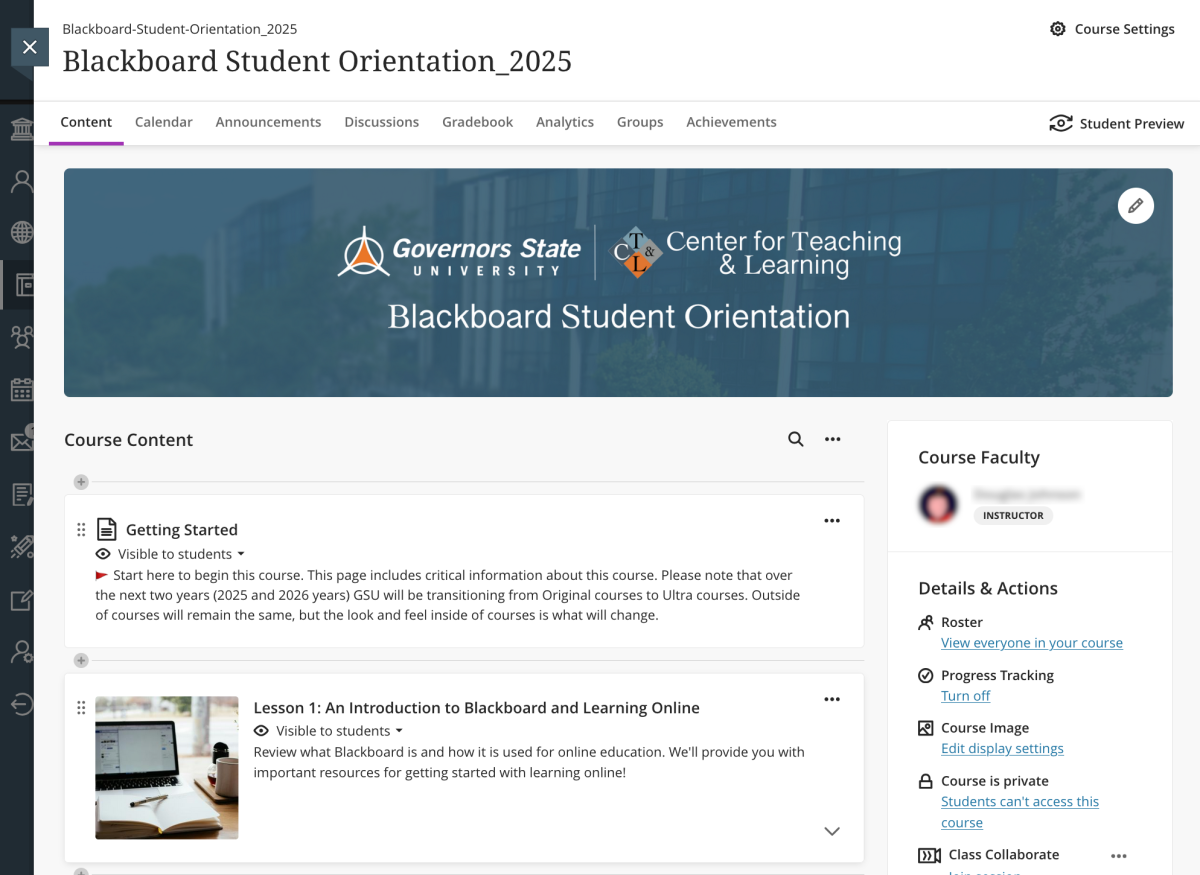
To help with the transition, GovState provides several resources. All students are automatically enrolled in the Blackboard Student Orientation course, a self-paced guide to familiarizing yourself with the platform. Upon completing all six lessons, students can earn a badge which some instructors may require for credit or extra credit.
Additional support is available through the Blackboard Learn Ultra Getting Started page and the Students Blackboard Learn Ultra page, both packed with tips and guides to maximize the platform’s features.
As GovState continues its transition to Ultra, the focus is to create a learning environment that keeps students organized, connected, and ready to succeed.
For more information and tutorials, visit the Blackboard Student Orientation course in your Course List.